|
How to get support in case of any problems ?
We provide different kinds of information to support you to install and run
our products as easy as possible.
1. Help-System
Please check the help system in the application. Press the white button with
the black i on the main page to call the help system.
2. FAQ-System
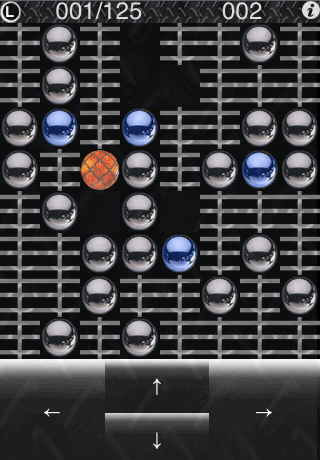
Smart Ball - The new logic game
Get
Smart Ball

Video:
YouTube Live-Demo
Usage hints:
All levels 1-500 can be solved - some are very hard - but be sure it can be
done.
(L) Select a level 1-500
(i) Shows the inbuilt help
There are no annoying background sounds / music:
This game can be used together with your iPod.
Play your favorite songs and then start SmartBall.
Version Roadmap / History:
Note: All updates in the App Store are free updates !
Version 6.2
iPhone OS 3.1 compatible
Status:
Currently available version
Version 6.1
iPhone OS 3.0 compatible
Version 6.0
Additional 100 levels - 500 levels total !
Fast level selection / level restart
A lot of optimizations
New icon
Help extended
Version 5.0
All 400 levels can be done - some are REALY tricky ;-)
This version unlock all levels so that a person can freely skip > back and forth
among them.
E.g. to skip a difficult level.
The highest level will still be the level without skips.
E.g.
Level 1..5 were done -> highest level = 5
Jump directly to level 10, and level 10..15 were solved -> highest level still 5
Jump to level 6 and solve levels 6..8 -> highest level = 8
New icon
Help file updated
Version 4.1
Optimized for OS 2.21
Help system improved
Version 4.0
now 400 levels
New HTML Help System
Version 3.1
Compatible with iPhone/iPod touch version 2.0, 2.1 and 2.2
Version 3.0 now 300 levels
Version 2.0 now 200 levels
Version 1.0 initial version
Status: initial version
iMagination - The graphic puzzle
Get iMagination

Example Pictures:
Example pictures created by iMagination
(click here)
Online Tutorial:
Online tutorials with a lot of examples
(click here)
Usage hints:
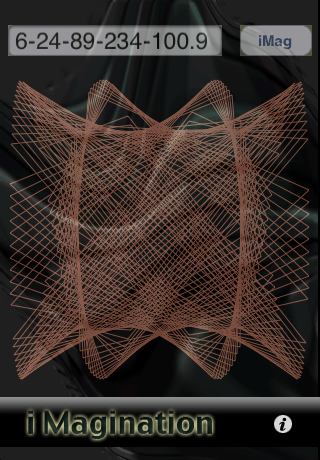
The graphic shown by iMagination depends only on the 5 numbers in the text
field (top left)
e.g. 6-24-89-234-100.9 for the graphic above.
Change these numbers and press 'iMag' to see the result.
The numbers change the figure only - not the color.
Each time you press 'iMag' will the color of your graphic be changed - but not
the
figure.
Change only one value at a time to see what happens.
Hint: the last but one value should be above 100 for most figures.
Have fun !
Please send us your best numbers !
Contribute section(click here)
Version Roadmap / History:
Note: All updates in the App Store are free updates !
Version 2.6
iPhone OS 3.1 compatible
Status:
Currently available version
Version 2.5
iPhone OS 3.0 compatible
Version 2.4
Optimized for OS 2.21
Help system improved
Version 2.3
New inbuild Help System
Version 2.2
Compatible with iPhone/iPod touch version 2.0, 2.1 and 2.2
Version 2.1
In addition to the monochrom (single color) graph can a multicolor graph be
created.
Each other click on the 'iMag' button creates a multicolor graph
Version 2.0
saves the last used numbers,
and includes an inbuilt tutorial.
Version 1.0 initial version
Status: initial version
ISoko Sokoban - Fun until your brain hurts !
Get
iSoko

Usage hints:
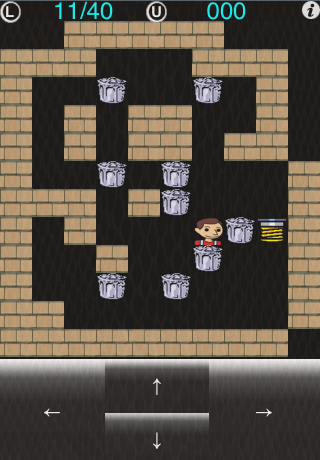
The basic idea is to move the worker to push all loads to the goal - before
the time for each level is over.
iSoko has an inbuilt help system (press the i top/right).
All features of the game will be explained in great detail.
If you have some good ideas - feel free to send us your iSoko levels !
Contribute section(click here)
Version Roadmap / History:
Note: All updates in the App Store are free updates !
Version 2.8
Level 37 optimized
Status:
Currently available version
Version 2.7
iPhone OS 3.1 compatible
Version 3.6
Level 28 optimized
Version 3.5
iPhone OS 3.x compatible
Version 3.4
Optimized for OS 2.21
Help system improved
Version 3.3
New Help System
Version 3.2
Compatible with iPhone/iPod touch version 2.0, 2.1 and 2.2
Version 3.1
-Changed levels: 28,32,37
Version 3.0
-No time limits for any levels. Play each iSoko level as long as you need.
-All keys are now in the display line.
-Some optimizations.
-Level 5 was the same as level 4 but with a shorter time limit - level 5 is now
a new level.
-Problem with level 20 fixed.
Version 2.1
fixed Level 6 not solveable, helpfile updated
Version 2.0
Double the numbers of levels, includes an undo button and more
Version 1.0 initial version
Status: initial version
All You Can Eat - The new fun game
Get
All You Can Eat

Video:
YouTube Live-Demo
Usage hints:
3 seconds to explain the game - and you will have hours of fun.
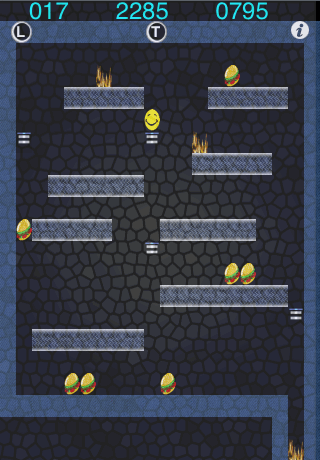
Move the Smiley to eat all burgers - beware of the fire - use the elevators.
(T) Toggles the controls (Touch or Accelerator)
(L) Restarts the game
(i) Shows the inbuilt help
Version Roadmap / History:
Note: All updates in the App Store are free updates !
Version 1.7
iPhone OS 3.1 compatible
Status:
Currently available version
Version 1.6
iPhone OS 3.0 compatible
Version 1.5
Optimized for OS 2.21
Help system improved
Version 1.4
New
Help System
Optimizations
Version 1.3
Compatible with iPhone/iPod touch version 2.0, 2.1 and 2.2
Help text updated
Version 1.2
Optomized Game engine
Version 1.1 Easier to control,
press anywhere on the left half of the screen to move the smiley to the left
side or on the right half to move him to the right side.
Version 1.0 initial version
Status: initial version
3. Free
Support Request
If you have checked all the information (FAQ) - and still did not find an
answer - feel free to send us a 'Free Support
Request' (click here)'.
(Please ask your questions in English or German)
|